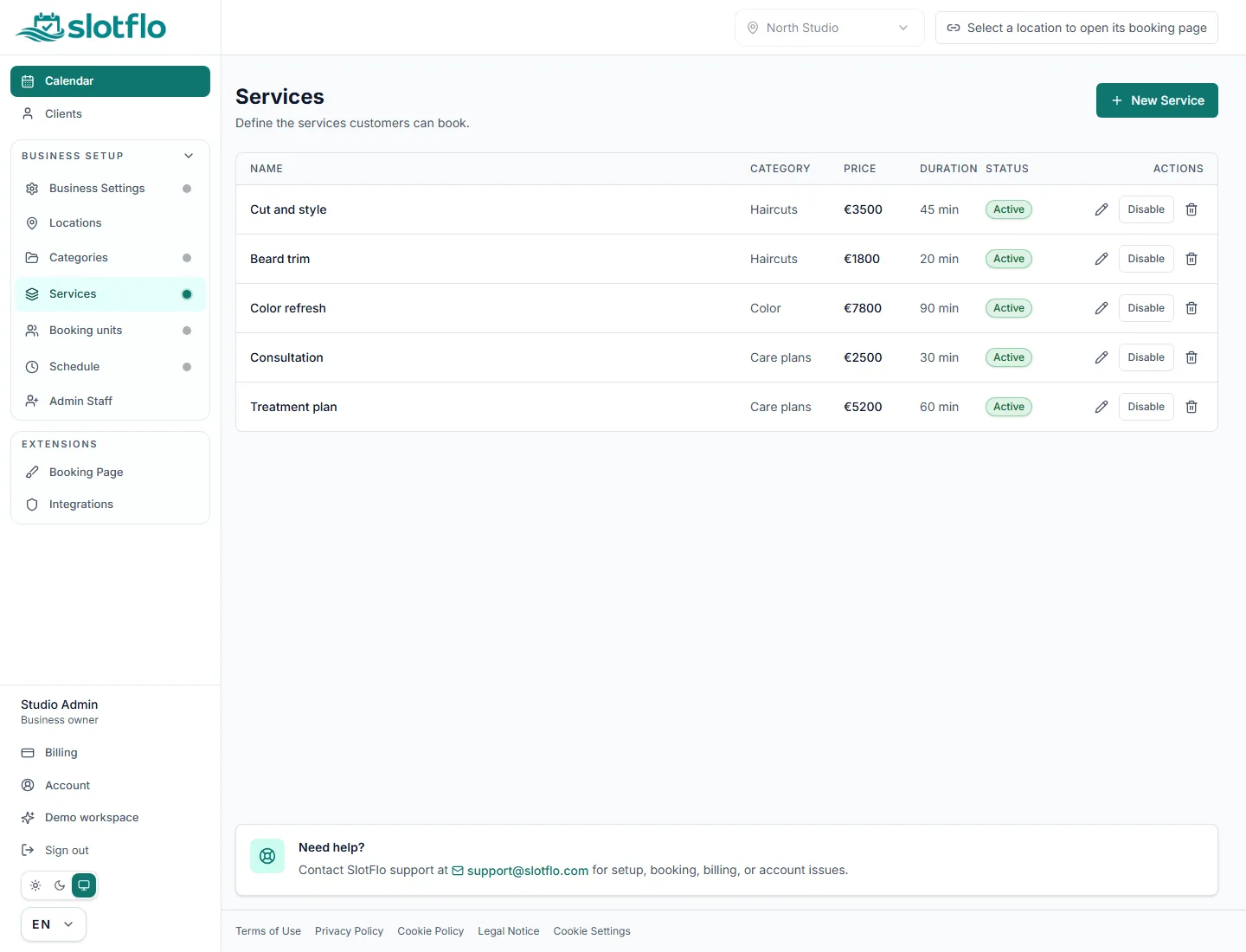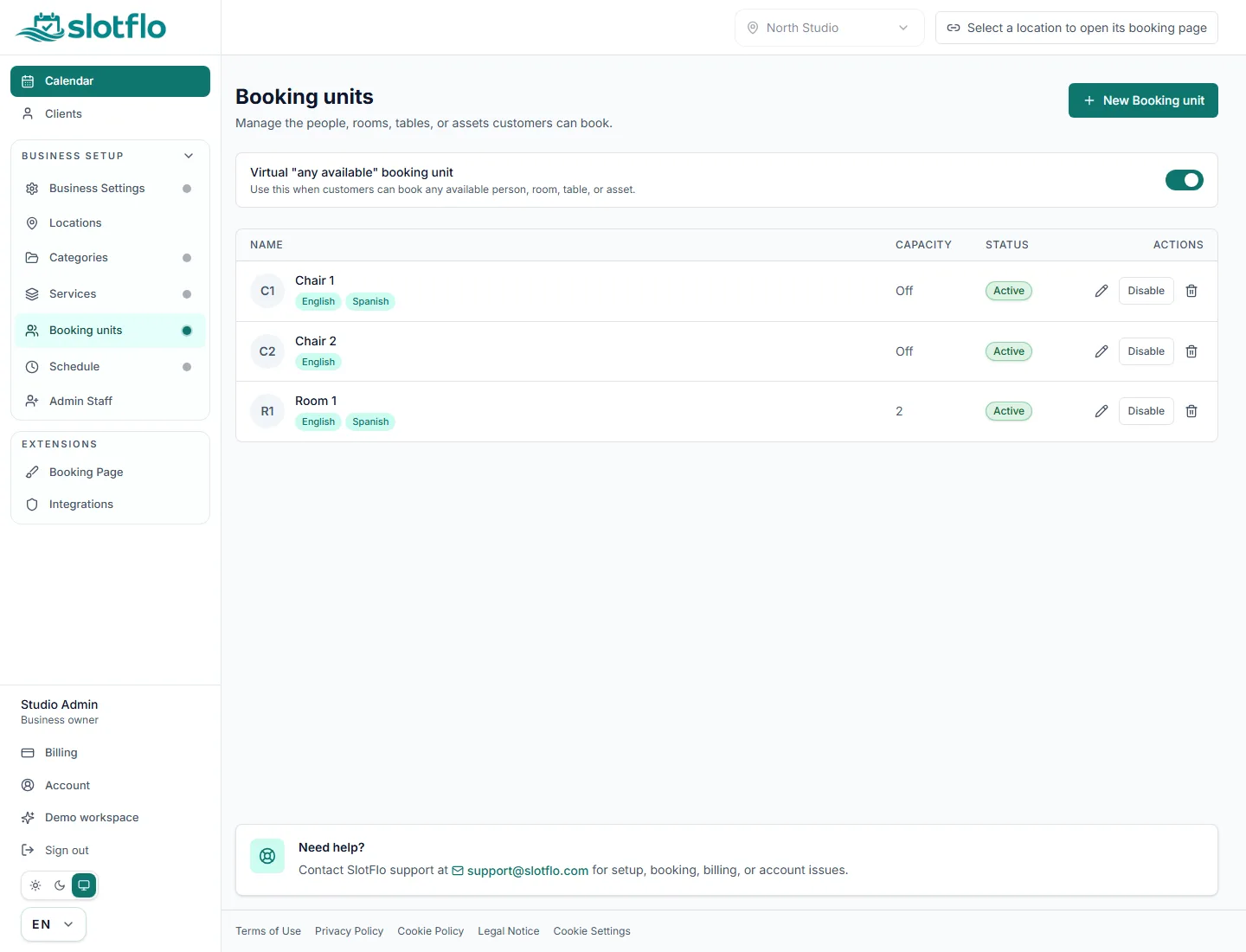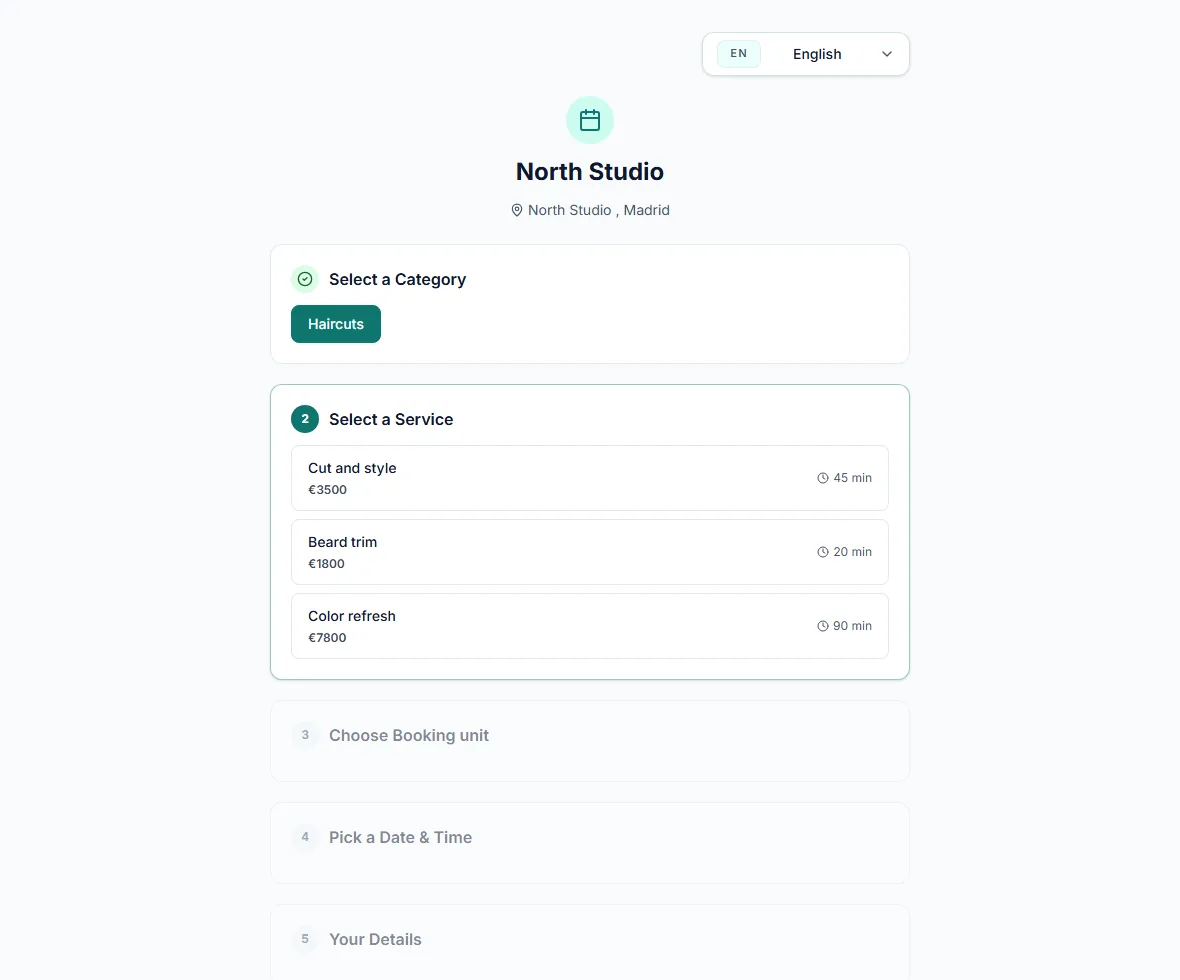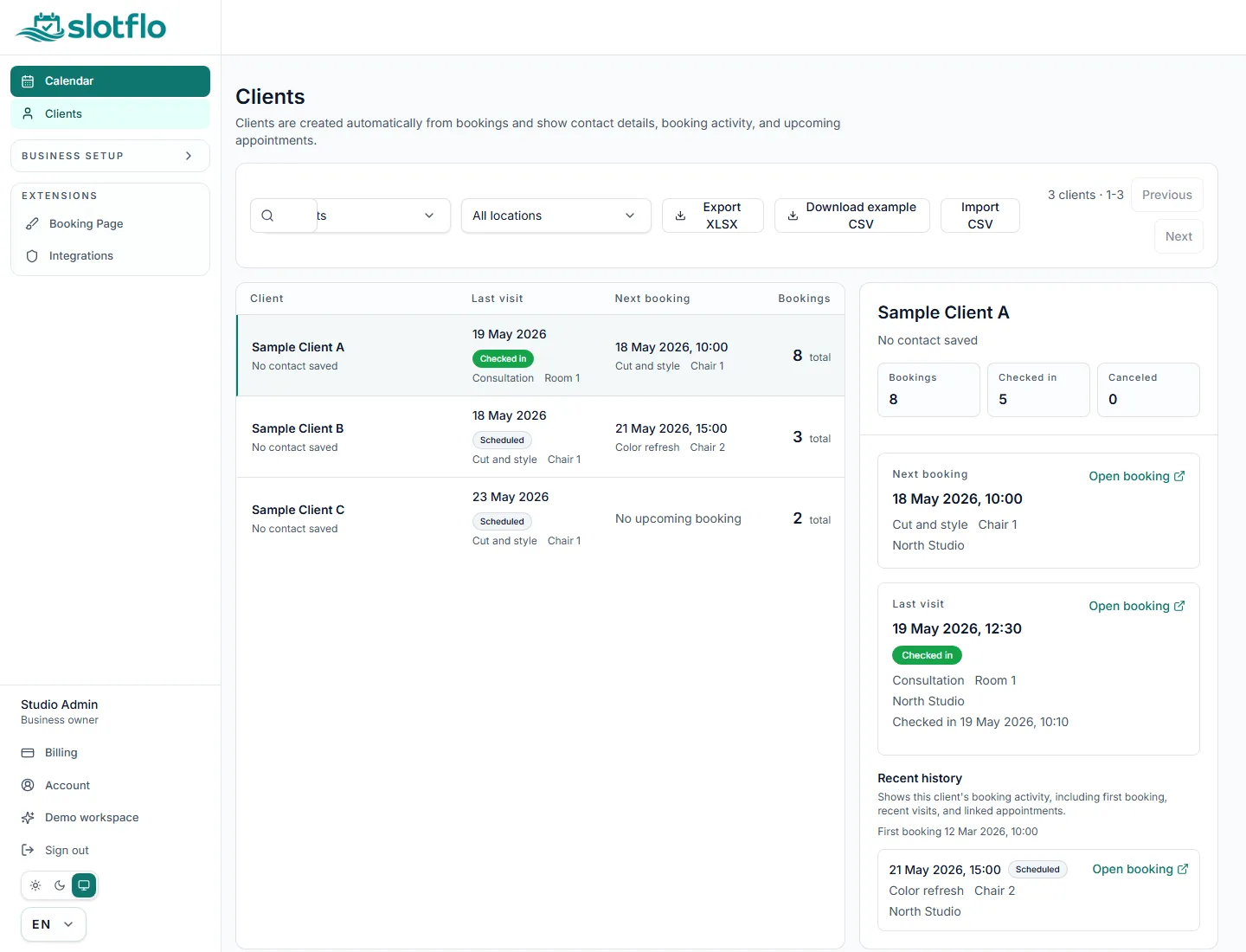
Guided booking page setup

Online Booking Made Simple

Set up your services, schedule, and booking page from one clean dashboard.

14-day free trial. Card required. Paid plan starts automatically unless you cancel.

Online booking software for service businesses

Publish a booking page and run the day from one workspace

SlotFlo helps salons, barbershops, tattoo studios, clinics, and other service businesses turn available appointment slots into a clear client booking flow. Customers choose a service, booking unit, date, and time while the business manages the calendar behind it.

Client booking page

Share one public booking page where customers can choose a category, service, booking unit, date, and time.

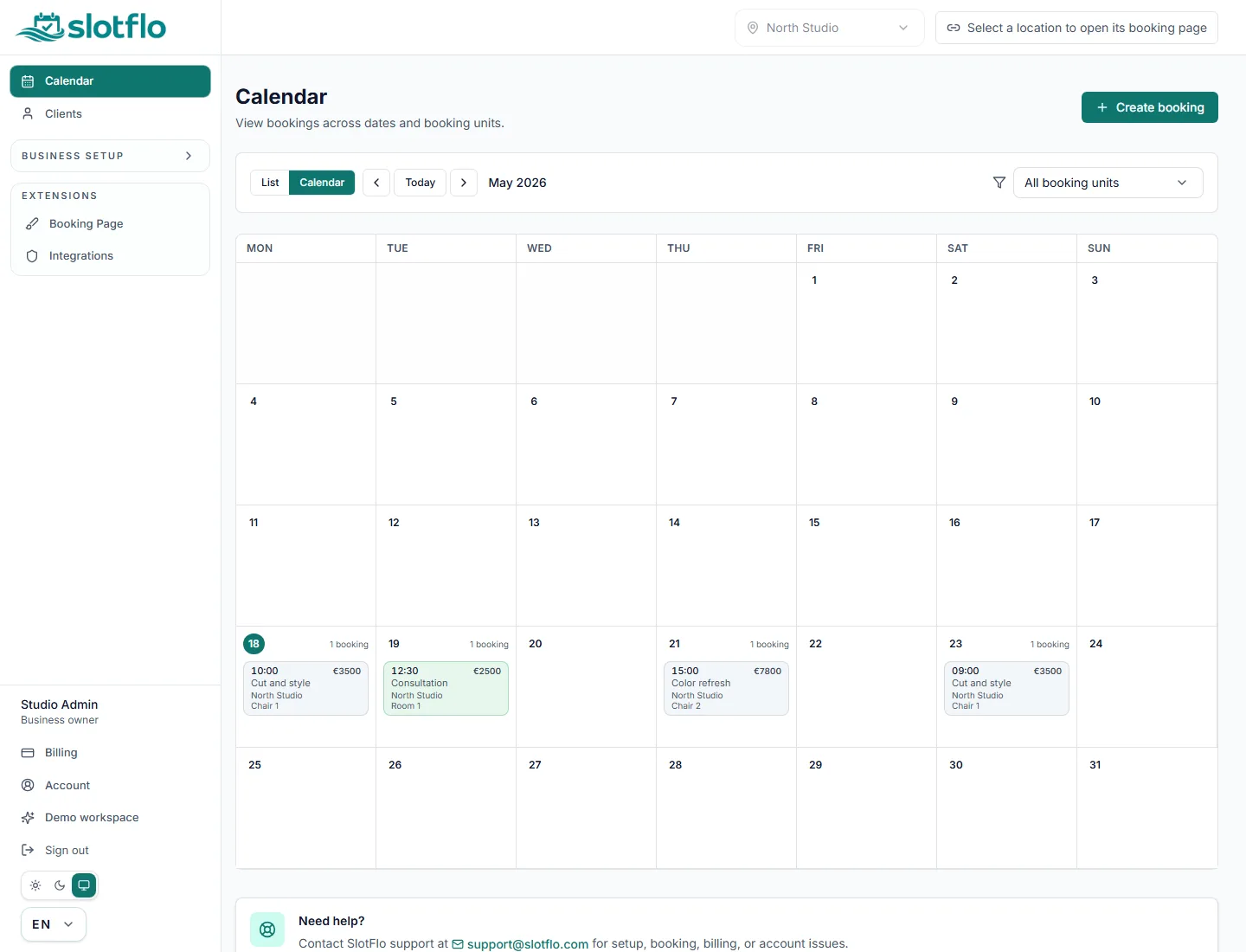
Owner and staff workspace

Configure locations, services, categories, resources, working hours, bookings, staff access, and client records.

Advanced options when needed

Plan-gated CRM, import/export, QR scanning, APIs, and AI-ready architecture stay available without overstating what is enabled.

A practical appointment scheduling flow

SlotFlo keeps the customer journey simple and gives the business an operational view of bookings, services, staff calendars, and client data.

What a customer does

  • Chooses a category, service, booking unit or staff member, date, and time.
  • Enters contact details and optional booking notes.
  • Receives confirmation and a secure manage link when the business has email flow configured.

What a business owner does

  • Sets the business profile, location, services, categories, resources, and working hours.
  • Manages booking management from the calendar and daily owner workspace.
  • Invites staff, works with client CRM, and uses plan-gated import, export, QR, API, and AI beta capabilities where enabled.

Built for real service appointments

SlotFlo is positioned for small service teams that need fewer manual messages, clearer available slots, and a shared place to manage client booking operations.

Salons and beauty studios
Barbershops
Tattoo studios
Clinics
Other appointment-based service businesses

Simple, transparent pricing

Start with a 14-day free trial. Card required. Paid billing starts automatically unless you cancel before the trial ends.

Most popular

EASY

Monthly

Perfect for solo professionals just getting started.

€19/month
Get started
  • 10 bookable units such as staff, rooms, or tables
  • 10 staff accounts
  • 1 location
  • Unlimited* categories
  • Unlimited* services
  • Booking Calendar
  • Public booking page

PRO

Monthly

For growing businesses that need more power.

€39/month
Get started
  • Unlimited* staff accounts
  • Unlimited* bookable units such as staff, rooms, or tables
  • Unlimited* locations
  • Unlimited* categories
  • Unlimited* services
  • Booking Calendar
  • Client CRM
  • Clients Import/Export
  • Public booking page
  • Booking page customization
  • Mobile app: QR + client access

EXPERT

Monthly

For teams and enterprises with advanced needs.

€69/month
Get started
  • Unlimited* staff accounts
  • Unlimited* bookable units such as staff, rooms, or tables
  • Unlimited* locations
  • Unlimited* categories
  • Unlimited* services
  • Booking Calendar
  • Client CRM
  • Clients Import/Export
  • Public booking page
  • Booking page customization
  • Mobile app: QR + client access
  • Business API included
  • AI Assistant (Beta)
  • 6000 AI messages / month (Beta)
  • 15 knowledge sources
  • AI Widget (Beta)

* Unlimited in normal use. Operational anti-abuse ceilings may still apply and can be raised by support when needed.

Set up your booking page in four steps

Follow a guided setup, then share your booking page when your catalog and schedule are ready.

01

Choose a sign-in method

Start your account with a supported provider and continue into the same onboarding flow.

02

Set up your catalog

Add your categories, services, and booking units. We guide you through each one.

03

Configure your schedule

Define working hours, time slots, and days off from a single screen.

04

Share your link

Copy your public booking URL and share it when setup is complete.

The operating layer you can keep as the business grows

SlotFlo brings public booking, client history, team access, integrations, and AI support into one launch-ready booking system.

EASY

Launch a public booking surface that feels ready

Start with the customer-facing layer first: one public page, one booking calendar, and the core bookable structure behind it.

  • Public booking page
  • Booking Calendar
  • bookable units such as staff, rooms, or tables
PRO

Keep locations, categories, services, and CRM aligned

Business owners do not have to stitch together separate tools when the catalog and client records grow beyond the first setup week.

  • Unlimited* locations
  • Unlimited* categories
  • Unlimited* services
  • Client CRM
PRO

Add staff access and client workflows without re-platforming

When the business stops being a solo operation, SlotFlo is already prepared for staff seats, import and export, mobile QR access, and shared booking access.

  • Unlimited* staff accounts
  • Clients Import/Export
  • Mobile app: QR + client access
  • Public booking page
  • Booking page customization
EXPERT

Open the API and AI layer only when the business needs it

EXPERT capabilities stay grounded in real operations: API access, AI Assistant (Beta), message capacity, and widget delivery.

  • Business API included
  • Booking page customization
  • AI Assistant (Beta)
  • 6000 AI messages / month (Beta)
  • 15 knowledge sources
  • AI Widget (Beta)

Clear about advanced capabilities

SlotFlo is agent-ready by design. In addition to human-facing owner tools, SlotFlo includes controlled API surfaces for automation and a separate Agent API designed for bots and AI agents. The Agent API is intended for permissioned booking workflows such as availability discovery, booking orchestration, and integration handoffs without scraping customer-facing pages. Runtime API access is authenticated, scoped, and not exposed as crawlable public content. Some capabilities are intentionally plan-gated or beta, including client CRM, import/export, staff access, mobile QR scanning, and AI-ready architecture. SlotFlo avoids unsupported payment collection, text-message reminders, or hands-off AI booking claims.

  • Client CRM and import/export for operations and portability.
  • Staff invitations, staff calendar workflows, and multi-location limits based on plan capabilities.
  • Agent-ready by design: controlled API surfaces for human-authorized automation and bot or agent booking workflows where enabled.
  • AI Assistant beta where enabled, with cautious AI-ready positioning.

Common questions before you start

Get direct answers about booking pages, trial billing, staff calendars, client CRM, localization, privacy boundaries, and AI/API limits.

Read the full FAQ

What is SlotFlo?

SlotFlo is online booking software for service businesses. It combines a public booking page with an owner and staff workspace for services, booking units, working hours, bookings, clients, and daily booking management. It is not a marketplace and should not be used for emergencies or urgent regulated care.

How does a customer book an appointment?

The customer booking flow asks the customer to choose category, service, booking unit or staff, date, time, and contact details. Confirmation appears in the product flow, and email confirmation or a manage link depends on configured email behavior and the data the customer provides.

What can a business owner configure for setup?

Owners configure the business profile, location, services, categories, resources or staff, working hours, and booking link before sharing the public page. The owner workspace is also where calendars, clients, staff invitations, billing, and advanced plan-gated capabilities are managed.

Can I use SlotFlo for a salon?

SlotFlo is designed for appointment-based service businesses such as salons, beauty studios, barbershops, tattoo studios, clinics, and similar teams. The useful fit is any business that needs customers to choose a service, a bookable unit or staff member, a date, and an available time.

Does SlotFlo include client CRM?

SlotFlo includes client records for operational booking history and customer management. Client CRM, import, export, and deeper customer workflows are plan-sensitive capabilities. Customer names, emails, phone numbers, notes, and booking history must stay out of SEO metadata, schema, and public indexing files.

Is AI booking available?

SlotFlo is agent-ready by design. In addition to human-facing owner tools, SlotFlo includes controlled API surfaces for automation and a separate Agent API designed for bots and AI agents. The Agent API is intended for permissioned booking workflows such as availability discovery, booking orchestration, and integration handoffs without scraping customer-facing pages. Runtime API access is authenticated, scoped, and not exposed as crawlable public content. The Human API is for owner-authorized business automation. The Agent API is separate from the human-facing workspace and is not an open unauthenticated API. Runtime access can be signed, scoped, and plan-gated or enabled by configuration. Public discovery for agents should use /llms.txt, /llms-full.txt, and /agent-api.txt. /api/* endpoints are runtime APIs, not crawlable public documentation pages. SlotFlo does not claim fully autonomous public web-chat booking.

Ready to streamline your bookings?

Try SlotFlo in real use for 14 days. Card required to start the trial.